
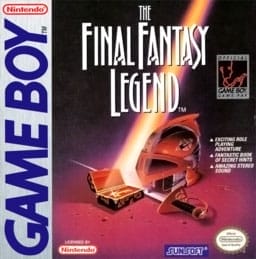
The Final Fantasy Legend
Game BoyRole-Playing Game
Documented for this version
Keyboard | Use the Game Boy directional pad for workshop and race-menu navigation, A to confirm a selection, B to cancel, and Start for pause and status. The Japanese setup screen lists the active part and tuning effect. Verify the loaded Game Boy build instructions when the public sources do not provide a complete control table. |
|---|
The loaded Game Boy mapping takes priority over generic labels.
How it plays
Select a car and components, adjust the setup for the course, enter races, and improve the machine through victories and purchased parts. Race results depend on the selected configuration and the course's demands, so preparation is as important as the event itself.
Plan your run
Use an all-round setup to learn the course, then adjust one component at a time for acceleration, top speed, or stability. Keep spare parts and save before a championship race because a high-speed setup can be less reliable on a technical course.
Game BoyRole-Playing Game
Game BoyAction-Adventure
Miniyonku GB Let's & Go!! All-Star Battle MAX is a Japanese Game Boy Mini 4WD racing simulation based on the Let's & Go!! series. It focuses on building a competitive machine, tuning parts, and defeating a series of rival racers.
Catalog entry maintained by EmuGamers Editorial Team

Community discussion
What are players saying?