
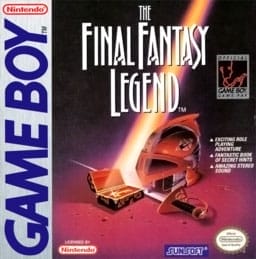
The Final Fantasy Legend
Game BoyRole-Playing Game
Documented for this version
Left | Move the falling tetromino left |
|---|---|
Right | Move the falling tetromino right |
Down | Soft drop the falling tetromino |
A | Rotate the tetromino clockwise |
B | Rotate the tetromino counterclockwise |
Up | Hard drop the falling tetromino |
Start | Pause or resume the game |
How it plays
The playfield is viewed from above, with tetrominoes falling into a vertical well. The player moves pieces horizontally, rotates them, and drops them to form complete lines. Completed lines disappear, causing the blocks above to fall.
Modes provide different objectives, including clearing lines, reaching score targets, surviving increasing speed, or competing against another player. Progression generally comes from higher levels, faster falling speeds, improved scores, and mode-specific unlocks rather than a conventional story campaign.
Plan your run
Keep the stack low and build a mostly flat surface so that every piece remains usable. Reserve a vertical gap when preparing to clear four lines with the I tetromino, but avoid creating deep holes that cannot be filled easily.
Use soft drops selectively, watch the next piece when the mode displays it, and prioritize immediate survival over risky high-value setups. As the speed rises, place pieces quickly and avoid overhanging blocks.
Before you begin
Build flat, keep the well low, and avoid isolated holes.
Use the I tetromino for a four-line clear when the stack is prepared.
Practice at slower speeds before attempting high-level play.
Game BoyRole-Playing Game
Game BoyAction-Adventure
Tetris DX is a falling-block puzzle game developed by Nintendo R&D1 and published by Nintendo for the Game Boy Color. It presents the familiar Tetris premise: rotate and place descending tetrominoes to complete lines before the stack reaches the top of the playfield. The game includes several play styles, from traditional score chasing to timed and competitive modes. Its portable presentation adds bright color, battery-backed progress, and a selection of unlockable content. Tetris DX was well received for refining the classic formula with responsive controls, varied modes, and a polished handheld interface, and it remains one of the most notable Tetris releases on Nintendo’s handheld hardware.
Catalog entry maintained by EmuGamers Editorial Team


Community discussion
What are players saying?