
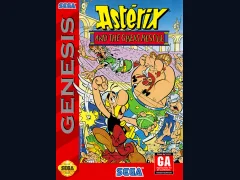
Asterix and the Great Rescue
Sega GenesisPlatformer
Documented for this version
D-pad Left | Move the falling column left |
|---|---|
D-pad Right | Move the falling column right |
D-pad Down | Accelerate the column's fall |
ABC | Rotate the jewels in the falling column The face buttons rotate the column. |
Start | Pause or begin play |
How it plays
Players move a descending column left or right, accelerate its fall, and rotate the order of its three jewels. Matching three or more jewels of the same color clears them, allowing pieces above to fall and potentially create chain reactions.
The main game becomes faster as the player advances, and the session ends when the stack reaches the top of the playfield. Two-player play places opponents on separate fields and rewards efficient chains, while Flash mode requires the player to remove target jewels before the field becomes unmanageable.
Plan your run
Prioritize matches near the bottom and avoid building a flat, unstable wall. Keep at least one open column so new pieces can be repositioned safely.
Plan for chain reactions, but do not stack blindly for a possible combo. In competitive play, clearing several jewels in succession is more valuable than making isolated matches, because chains send nuisance pieces to the opponent.
Before you begin
Use the preview and current column together to plan the next landing.
Keep the center and one side of the field relatively open.
In Flash mode, clear target jewels before attempting elaborate chains.
Columns is a tile-matching puzzle game developed and published by Sega for the Sega Genesis. The player controls falling columns of three colored jewels and matches three or more jewels in a straight horizontal, vertical, or diagonal line. Its simple rules make it immediately accessible, while increasing speed and limited playfield space create substantial pressure during longer sessions. The game includes a main one-player mode, a two-player competitive mode, and a flash-style mode focused on clearing marked jewels. Columns was well received for bringing a polished, approachable puzzle format to Sega's console and became one of the company's most recognizable puzzle properties. Its presentation and relaxed fantasy aesthetic distinguish it from more abstract block-stacking games.
Catalog entry maintained by EmuGamers Editorial Team


Community discussion
What are players saying?