
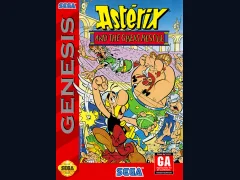
Asterix and the Great Rescue
Sega GenesisPlatformer
Documented for this version
D-pad | Move the falling column horizontally. |
|---|---|
D-pad Down | Accelerate the column’s descent. |
Start | Pause or begin the game. |
The supplied platform is Sega Genesis; no emulator key mapping is assumed.
How it plays
The game uses a single-screen, vertical well viewed from the front. A column of three jewels descends from the top, and the player can move it horizontally, change the jewels’ order, or drop it faster.
Matching three or more jewels horizontally, vertically, or diagonally clears them. Cascades occur when falling jewels create additional matches. The main objective is to survive as long as possible and earn a high score; the speed increases as play continues. Modes and exact options can vary by version.
Plan your run
Build matches near the bottom while keeping the central area open for maneuvering. Avoid creating tall, uneven stacks that leave no space for the next column.
Look for diagonal and vertical matches as well as horizontal ones. Delaying a clear can prepare a cascade, but clearing immediately is safer when the well is becoming crowded. Rotate columns early, before they reach the lower rows.
Before you begin
Keep multiple colors available instead of stacking one color too high.
Use the sides of the well for controlled setups and preserve the center.
Watch the next falling column before committing to a placement.
Columns is a tile-matching puzzle game developed and published by Sega for the Sega Genesis in 1990. Jewels fall into a vertical playing field, and the player rearranges their order to create lines of three or more matching colors. The design combines simple controls with increasingly demanding speed, making it suitable for both short arcade-style sessions and longer score attacks. Its presentation is colorful and straightforward, while the rising drop speed creates steady pressure. Columns was well received for offering a clear alternative to other falling-block puzzle games and became one of Sega’s most recognizable puzzle properties.
Catalog entry maintained by EmuGamers Editorial Team


Community discussion
What are players saying?