
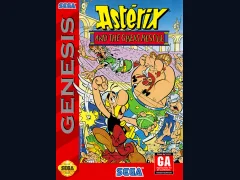
Asterix and the Great Rescue
Sega GenesisPlatformer
Documented for this version
D-pad LeftD-pad Right | Steer the car |
|---|---|
D-pad Up | Accelerate |
D-pad Down | Brake or select a menu item |
A | Accelerate |
B | Brake |
C | Change gear when manual transmission is selected |
Start | Pause the game and confirm menu selections |
Button functions can vary with the selected transmission setting and regional release.
How it plays
The game uses a behind-the-car perspective. Drive through timed stages, avoid traffic, and reach each checkpoint before the clock expires. At junctions, choose left or right routes to determine the next scenery and the eventual destination.
The car can accelerate, brake, steer, and change gears when manual transmission is selected. Successful driving depends on maintaining speed through curves, positioning around traffic, and learning the branching course layout. Completing a route leads to one of several endings rather than a single linear finish.
Plan your run
Learn the junctions and choose a route that matches your strengths. Wide, flatter roads are easier for preserving speed, while tighter mountain sections demand earlier braking.
Use traffic gaps rather than making abrupt corrections. In manual transmission mode, downshifting before sharp turns can help maintain control, but automatic transmission is often easier when first learning the courses.
Before you begin
Brake before sharp corners instead of waiting until the turn begins.
Memorize checkpoint locations and route branches.
Avoid unnecessary contact with traffic, since collisions cost valuable time.
OutRun is an arcade racing game developed by Sega AM2 and adapted for the Sega Genesis by Sega. The player drives a Ferrari Testarossa-style sports car with a passenger through bright coastal roads, deserts, forests, and mountain scenery. Rather than focusing on realistic simulation, the game emphasizes fast reactions, accessible controls, and the freedom to choose branching routes. Its time limit, traffic, drifting turns, and energetic soundtrack define the experience. The Genesis version compresses the arcade game into a home-console format while retaining its route selection and checkpoint-based structure. It received generally positive attention for bringing a recognizable arcade racer home, although its hardware limitations reduced visual detail and some of the arcade presentation.
Catalog entry maintained by EmuGamers Editorial Team


Community discussion
What are players saying?