
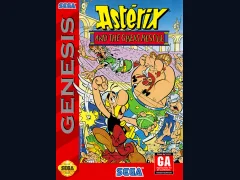
Asterix and the Great Rescue
Sega GenesisPlatformer
Documented for this version
D-pad LeftD-pad Right | Steer left or right |
|---|---|
D-pad Up | Accelerate |
D-pad Down | Brake or slow down |
Start | Pause the game |
The Genesis release supports a standard three-button controller.
Turbo-specific button assignments can vary by control configuration, so they are omitted here.
How it plays
The game is viewed from behind the car on scrolling roads. The objective is to reach successive checkpoints before time expires while staying ahead of the rival vehicle.
Players steer around traffic, manage speed through bends, brake when necessary, and use turbo boosts on suitable straight sections. Each stage presents a route segment with changing scenery and weather. Finishing a section allows the race to continue; running out of time or falling too far behind ends the attempt.
Plan your run
Learn the road layout and brake before sharp turns rather than entering them at maximum speed. Smooth steering helps preserve momentum and reduces collisions with traffic.
Save turbo boosts for long straights or recovery after a difficult corner. Watch the rival's position, but prioritize checkpoint time and a clean line through traffic.
Before you begin
Use turbo on straight roads instead of in tight corners.
Brake early for bends and accelerate once the car is aligned.
Avoid unnecessary contact with traffic because collisions cost valuable time.
Turbo OutRun is an arcade racing game developed by Sega AM2 and published by Sega for the Sega Genesis. It places the player behind the wheel of a Ferrari Testarossa, racing across a long continental route while pursuing a rival car. The game emphasizes speed, traffic avoidance, quick steering, and limited-use turbo boosts rather than realistic simulation. Unlike the original OutRun, its structure is a more focused point-to-point race with a persistent opponent and weather changes. The Genesis version brought the arcade concept home with simplified visuals and sound suited to the hardware. Reception was generally favorable for its fast handling and recognizable OutRun style, although critics noted technical compromises compared with the arcade original.
Catalog entry maintained by EmuGamers Editorial Team

Community discussion
What are players saying?